
How to Make a Flying Car AI Video
Last updated 17 October 2026
Short Answer
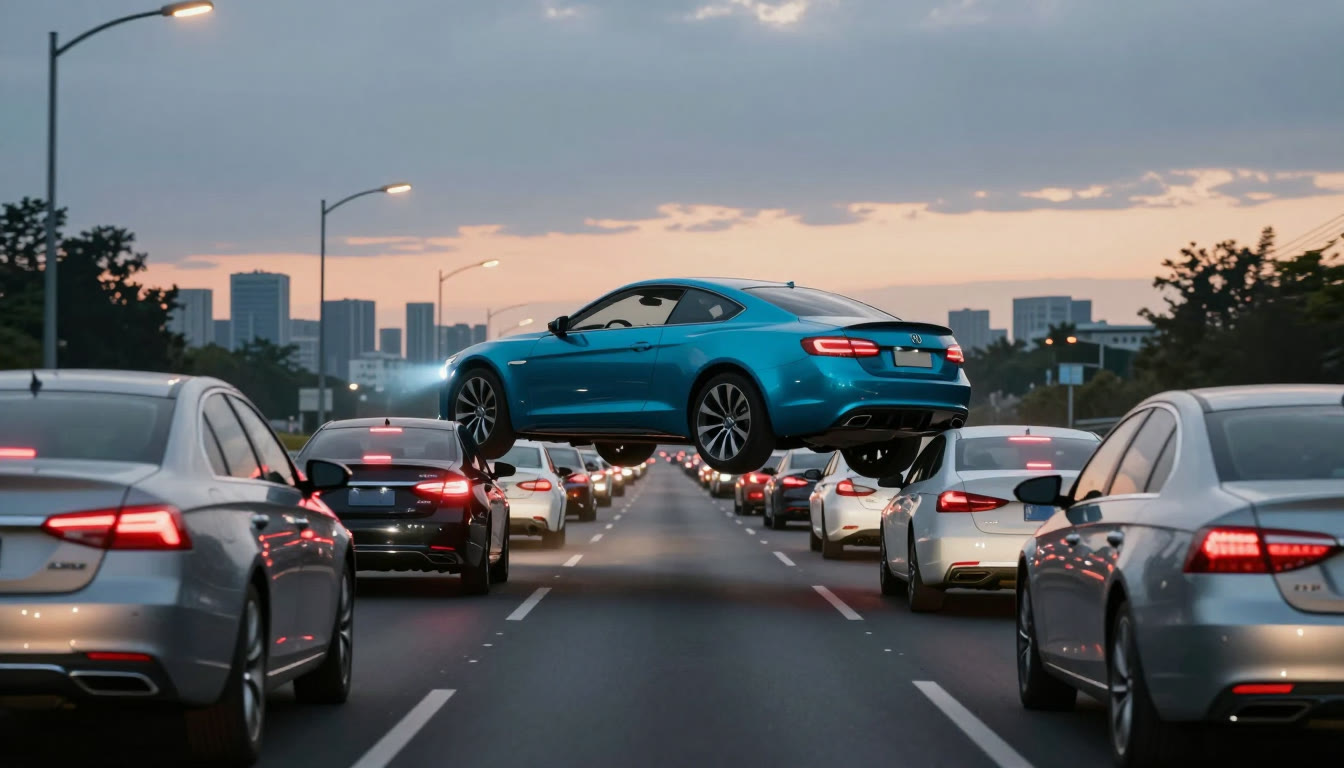
You need one photo of your car with the whole body in frame. Upload it in the studio, pick 480p (170 credits) or 720p (380 credits), and you get a 5-second 16:9 clip with your car lifting off out of a night traffic jam. There is no prompt to write.
What You Need
- One photo of your car — JPG, PNG or WebP, up to 10 MB, whole car in frame.
- An account on this site. Sign-in is required and there are no guest renders.
- Credits: 170 for a 480p clip, 380 for 720p. The smallest pack is $5 (500 credits).
Step 1 — Pick the right photo
A three-quarter front or side view works best, with the car filling most of the frame. Daylight or soft shade keeps the body shape readable; heavy night shadows hide the wheels and the roofline.
Shoot it if you can — one phone photo in the driveway is enough. Avoid a photo where another car or a pole covers part of the body.
Step 2 — Upload it and choose a resolution
Open the studio, drop the photo into the slot, and pick a resolution. Both resolutions keep the same framing and the same five seconds; only the sharpness and the credit cost change.
| Mode | What it does | Photo | Credits |
|---|---|---|---|
| Your car | Your car replaces the car that lifts off out of the jam and flies over the queue | 1 photo | 170 (480p) · 380 (720p) |
Step 3 — Generate and watch it lift
Press generate. A 5-second clip usually finishes in a few minutes; you can leave the page and come back, the task keeps running.
When it is done you can preview it, download the MP4 and make another. A failed render is refunded to your credit balance automatically.
Step 4 — Add your own audio
The MP4 has no audio track. That is deliberate: the clip is meant to be posted with a track you already have the right to use.
Add music inside X, TikTok or Reels from each platform's own library, so the track is licensed for that platform and the upload does not get muted.
Step 5 — Post it
- Export is 16:9 — it fits an X post or a landscape Short without cropping.
- Say what the clip is. "AI-generated from a photo of my car" keeps the comments on the clip instead of on whether it is real.
- Keep the original car photo handy; if the clip gets picked up, people will ask for the before shot.
Car Photo Tips
Works well
- Whole car in frame, three-quarter front or side view
- Even light — daylight, soft shade, or a well-lit garage
- Plain background and no other car overlapping the body
Works badly
- Close-up of a badge, a wheel or half a car
- Heavy night shadow where the wheels disappear
- A photo where a pole, a person or another car covers the body
Troubleshooting
Upload says the image is too small
The photo needs to be above roughly 300 × 300 pixels. Use the original from your phone rather than a compressed screenshot.
The car came out looking like the photo is stretched
Extremely wide or tall photos stretch after the 16:9 crop. A normal landscape phone photo is the safest input.
Nothing happens when I press generate
Check two things: that you are signed in, and that your credit balance covers the resolution you picked. The studio shows a top-up panel when credits are short.
I do not want my plate visible
The prompt asks the model to drop readable plate text, but the reliable fix is on your side: blur or cover the plate before you upload.
Next
Flying Car AI Video: FAQ
No. The studio already holds the shot and the camera move. You only choose a car photo and a resolution.